The Best Time to Post on Instagram by Industry | Insights & Tips
Whether you’re building a business, trying to grow a following, or managing an Instagram account for a client, you’ve probably wondered at some of the mysteries behind the algorithm. It seems that sometimes a post does unexpectedly well, while some of your best ideas seem to flop without clear reason.
Among many factors that can impact a post’s reach and popularity, you may have wondered about the best time to post on Instagram. In this article, you’ll gain insights into general tips and guidelines, along with industry-specific data on the best time to post on Instagram.
Boost your Instagram posts by optimizing your visuals with the help of Quillbot’s free Social Media Templates—no prior design skills necessary.
Key takeaways
- Discover why there’s no single universal best time to post, how to use Instagram Insights to identify when your audience is most active, and why posting 30–60 minutes before peak activity can help boost reach and engagement.
- This guide breaks down the latest data on optimal posting times by industry and content type.
- Wednesdays (12–9 p.m.) and Thursdays (9 a.m.–2 p.m.) consistently drive strong engagement across industries.
Continue reading: The Best Time to Post on Instagram by Industry | Insights & Tips
How to Use a Modern Resume Template
A resume is often the first impression you make on a potential employer, so the way it looks matters.
A modern resume template can help you create a polished, professional resume without starting from scratch. Whether you’re applying for your first job, refreshing an outdated resume, or updating your resume for a career change, a well-designed template helps your qualifications stand out while saving you time on formatting.
This guide explains what makes a resume template “modern,” when to use one, and how to customize a template for your job search.
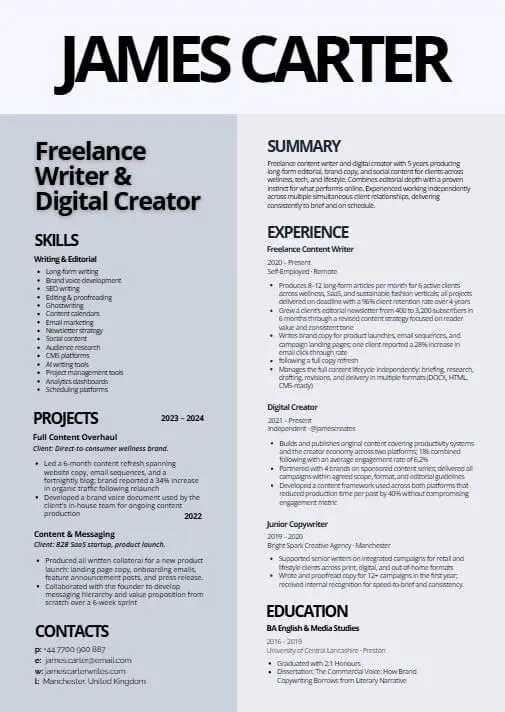
Quillbot’s Resume Templates include a range of modern designs, from clean and minimalist layouts to more creative options, so you can choose a style that best represents your professional brand.
Modern resume template from Quillbot’s creation ecosystem
Key takeaways
- A modern resume template helps you create a polished, professional resume faster with a clean layout that highlights your skills, experience, and achievements.
- The best modern resume designs balance visual appeal with readability, using clear sections, strong hierarchy, thoughtful spacing, and professional formatting.
- Choose a resume template that fits your industry and goals, whether you need a minimalist style for broad applications or a more creative design for personal branding.
Continue reading: How to Use a Modern Resume Template
Real Estate Logo Ideas | What Works & Why
The best ideas for real estate logos start with a clear understanding of your brand identity so you can create a design that reinforces the personality, values, and positioning of your brand.
This article features real estate logo ideas for projecting a range of qualities, including trust, professionalism, and confidence.
Use Quillbot’s free online Logo Templates tool to realize your real estate logo ideas or create mockups to help you brief a designer.

Key takeaways
- The best real estate logos reflect your brand identity, reflecting the clients you serve and the qualities you want to project.
- Simple symbols like houses, roofs, picket fences, magnifying glasses, and handshakes can quickly communicate what your business does and how you do business.
- Real estate logos should be versatile enough to work on yard signs, business cards, websites, social media profiles, and digital ads.
Continue reading: Real Estate Logo Ideas | What Works & Why
Flag Emojis | Meaning & World Cup Country Flags
Flag emojis include country flag emojis as well as other emojis like the red flag emoji 🚩, the checkered flag emoji 🏁, and the pirate flag emoji 🏴☠️.
This article explains the meanings of flag emojis and includes a table of the country flags for all of the teams who qualified for the 2026 soccer World Cup—just click on the copy-paste icons to add them to your messages.
Key takeaways
- Flag emojis include country flags, the red flag emoji 🚩, the white flag emoji 🏳, the checkered flag emoji 🏁, the pirate flag emoji 🏴☠️, and more.
- You can use flag emojis to show national pride, celebrate international soccer teams, signal warnings, refer to golf or racing, or express pride and allyship.
- Country flag emojis may appear as two-letter country codes on Windows, but you can still copy and paste them into apps that support flag emoji display.
Continue reading: Flag Emojis | Meaning & World Cup Country Flags
Soccer Emoji | Copy and Paste or Generate Your Own
The soccer ball emoji ⚽ is probably the most commonly used soccer emoji.
An easy way to immediately identify the subject of your message, you can use the soccer ball emoji to express excitement for an upcoming FIFA World Cup match, celebrate a goal, or commiserate with a friend after a disappointing result.
Copy and paste a soccer emoji into your message by searching Quillbot’s free online Emoji Picker using words like “soccer,” “goal,” “net,” and “goat.”
Key takeaways
- The soccer ball emoji ⚽ is used to talk about soccer, matches, goals, and World Cup excitement.
- You can use it as a replacement for the word “ball,” as punctuation in soccer-related messages.
- It’s often used with other emojis like 🥅, 🐐, 🏟️, 🏆, and 🎉 to create fun soccer emoji combinations.
Continue reading: Soccer Emoji | Copy and Paste or Generate Your Own
How to Prepare for an Interview | 10-Step Checklist
Preparing for a job interview is about understanding the role and anticipating the questions you might be asked.
Follow this 10-step checklist to help you approach the interview with confidence, make a good impression, and show why you’re the right fit.
Why not use Quillbot’s free AI Chat to help you predict the kind of questions you could be asked in your interview?

Key takeaways
- Strong interview preparation starts with alignment: review the job description, reread your application, and connect your experience directly to the role’s requirements.
- Researching the company helps you answer “Why this role?” with confidence and gives you thoughtful questions to ask at the end of the interview.
- Prepare flexible examples for behavioral and tricky questions using the STAR method so you can speak clearly without sounding scripted.
- Practical details matter too: confirm the interview format, test your tech or route, prepare what you need to bring, and follow up afterward with a short thank-you email.
Continue reading: How to Prepare for an Interview | 10-Step Checklist
How to Write an Office Manager Resume That Gets Interviews
Office managers are essential to keeping businesses organized, efficient, and successful. They oversee daily operations, support employees, manage processes, and often handle budgeting, bookkeeping, or other critical functions.
Because these positions require strong leadership and organization, your resume needs to show more than administrative experience. A strong office manager resume should highlight your ability to improve operations, solve problems, and deliver measurable results.
This guide explains what to include in an office manager resume, what employers look for, and how to showcase your skills and accomplishments in a way that stands out. You’ll also find office manager resume examples tailored to different industries.
With Quillbot’s Resume Design Templates, you can create a polished, eye-catching resume that highlights your leadership and impact.
Key takeaways
- An office manager resume should highlight leadership, operational expertise, measurable achievements, and relevant technical skills.
- Employers look for evidence that you can improve processes, support business goals, and manage critical office functions.
- A strong office manager resume uses accomplishment-focused bullet points, quantifiable results, and action verbs instead of simply listing responsibilities.
- Tailoring your resume to the industry—such as healthcare or service-based businesses—helps demonstrate your fit for the role.
Continue reading: How to Write an Office Manager Resume That Gets Interviews
Football Background | Free to Download Images
Download the free football background images below or create your own using Quillbot’s free AI Image Generator.
The prompts used to create the images below—in Quillbot’s AI Image Generator—are shown next to the images so you can adapt them to make the perfect football background for your project, phone, or computer.

Continue reading: Football Background | Free to Download Images
How to Write an Executive Assistant Resume That Gets Noticed
Executive assistant positions are some of the most sought-after administrative roles—and some of the most competitive.
Executive assistants often serve as strategic partners to CEOs and other high-level leaders. They manage calendars, coordinate projects, handle confidential information, and help executives stay focused on their highest priorities. Your resume needs to show that you can handle those challenges with poise and precision.
This guide explains what to include on an executive assistant resume, what makes you a top candidate, and how to demonstrate that you’re capable of supporting senior leadership. The resume examples at the end show how to tailor your experience for different executive support environments.
With Quillbot’s Resume Design Templates, you can create a polished resume that showcases your organizational skills, leadership support experience, and business impact.
Key takeaways
- An executive assistant resume should include contact information, a professional summary, skills, work experience, and education.
- Employers look for evidence of executive support, calendar management, project coordination, discretion, and business impact.
- Strategic keyword usage helps your resume pass ATS screenings while remaining readable to recruiters.
- Reviewing examples of effective executive assistant resumes helps you improve your resume’s structure, content, and overall effectiveness.
Continue reading: How to Write an Executive Assistant Resume That Gets Noticed
Restaurant Logo Ideas | Tips & Examples
Creating a logo that instantly captures the vibe of your restaurant and leaves a lasting impression starts with the right ideas.
Read on for tips on how to come up with restaurant logo ideas, whether you’re briefing a designer or bringing the concept to life yourself.
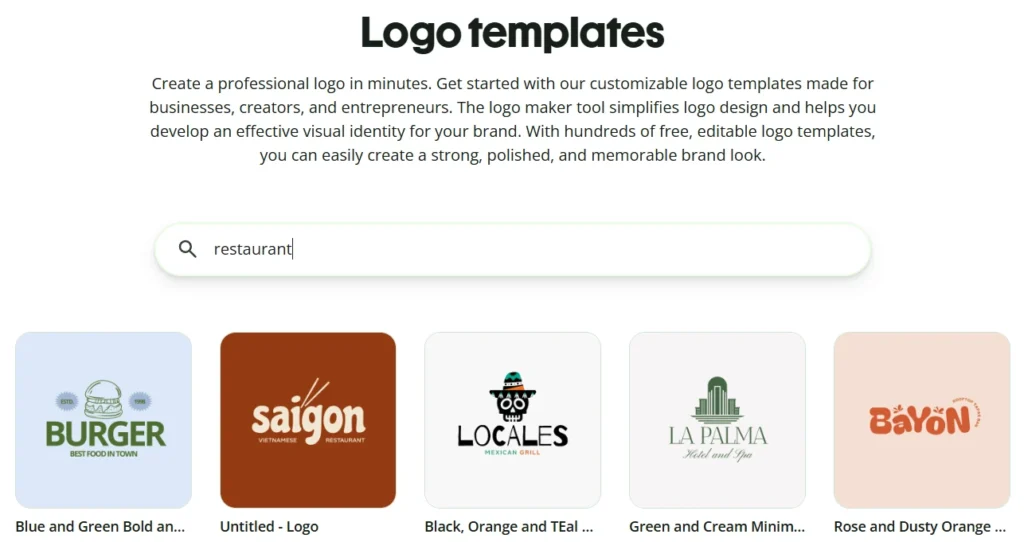
Instead of starting from scratch, why not use a free tool like Quillbot’s online logo templates to create your restaurant logo?
Continue reading: Restaurant Logo Ideas | Tips & Examples